Linkamatic gives every page a few lightweight ways to save, organize, and gauge interest. You can favorite pages you want to return to, add tags to your own pages so other people can find them, and read the view, favorite, and remix counts shown in each page's header. This guide covers all three.
Favoriting a page
Any page that belongs to someone else shows a favorite (heart) button in the page header, right next to the stats. Click the heart to save the page to your favorites, and click it again to remove it. While a page is one of your favorites, the heart stays filled in.
You cannot favorite your own pages — the heart appears only on pages owned by someone else, including private pages you have been invited to collaborate on. If you click the heart while signed out, Linkamatic sends you to log in first, then saves the favorite.
Your favorites list
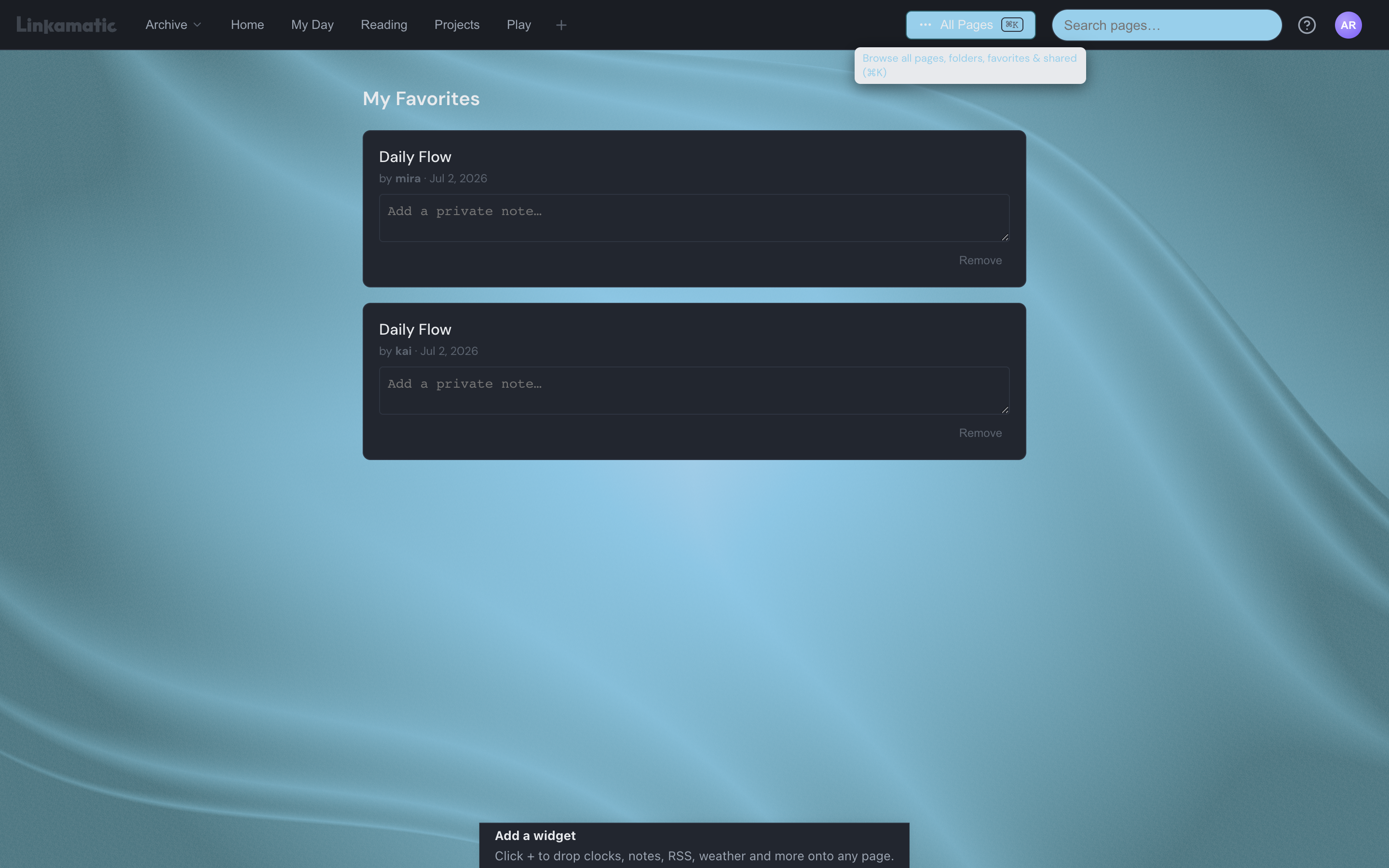
Your saved pages live at /favorites, under the heading My Favorites, listed newest first. Each entry shows the page title, which links to the page, the username of the owner, and the date you favorited it.
Every favorite has a private note field labeled Add a private note. Type anything you want to remember about the page; the note saves on its own when you click away, and only you can ever see it — never the page owner or anyone else. Use the Remove button on an entry to unfavorite it from here.
Your favorites also appear as a Favorites section in the All pages drawer, so you can jump to a saved page without opening the full list.
Tagging your pages
Tags are short labels that describe what a page is about — like productivity, devops, or reading-list. They help other people discover your page through tag search. You can add tags to any page you own.
- Open the page you want to tag and click Edit in the page header.
- Click Settings to open the page settings panel.
- Type a tag in the tag field and press Enter, or pick one from the recommendations dropdown.
- To remove a tag, click the × on its pill.
As you type, a dropdown suggests up to 10 tags that already exist, most-used first, each with a count of how many pages use it. Choosing a suggestion reuses an established tag, which makes your page easier to find.
A few rules apply to every tag:
- Between 2 and 50 characters long.
- Letters, numbers, and hyphens only — no spaces.
- Stored in lowercase, so DevOps and devops are the same tag.
- Up to 20 tags per page.
Browsing pages by tag
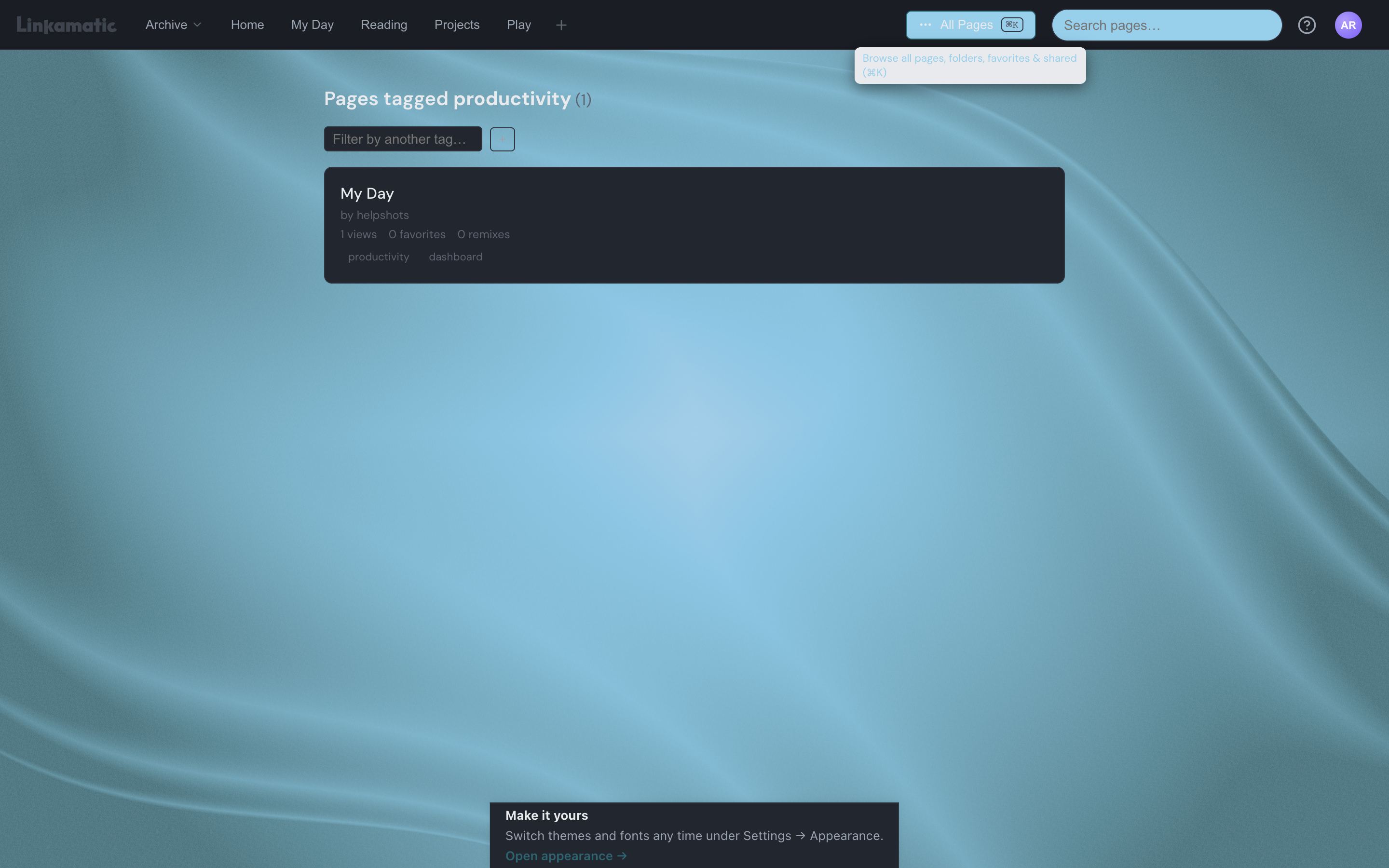
Every tag has its own results page at /tags/ followed by the tag name — for example, /tags/productivity. It lists the public pages that carry that tag, under a heading that shows the tag and how many pages matched.
To narrow the list, add another tag in the filter field. Results then include only pages that carry all of the tags you have chosen. Remove a filter tag to widen the list again.
Pages are ranked by overall engagement — a combination of their view, favorite, and remix counts — so the pages people use most appear at the top. Each result shows the owner, those three counts, and the page's tags.
Tag pages are one way to find pages nobody has sent you a direct link to. The search guide covers the other ways to look things up.
Reading page stats
Every page header carries a small stats bar in the upper-right, visible to anyone who can see the page. It shows three counts, left to right: an eye for views, a heart for favorites, and a branching icon for remixes. Hover any of them for a label.
| Count | What it means |
|---|---|
| Views | How many times the page has been opened. Every visit counts — signed in or not, including your own. |
| Favorites | How many people currently have the page saved. The number drops when someone unfavorites it. |
| Remixes | How many times someone has made their own independent copy of the page. |
Good to know
Can I favorite my own pages?
No. The favorite heart appears only on pages owned by someone else, so there is no way to favorite your own. Your own pages are always available from the All pages drawer.
What happens if a page I favorited gets deleted?
It stays in your favorites list, no longer clickable and clearly marked as unavailable. Use the Remove button to clear it from your list.
How many pages can I favorite?
You can keep up to 500 favorites. If you reach the limit, remove a few before adding more.
Who can see the tags I add?
Tags are public. They are how other people find your page through tag search, so anyone browsing that tag can see your page and its tags.