Every page you build in Linkamatic can stay yours alone or go out into the world. Sharing a page comes down to two things: choosing whether the page is public or private, then handing out its link. Anyone you send a public page to can open it with no account, and from there they can view, favorite, report, or remix it into a page of their own — just as you can with pages other people share.
Public and private pages
A page has a single visibility setting with two states, and it decides who can open the page and whether the page turns up for anyone else. Every page is either public or private.
| Visibility | What it means |
|---|---|
| Public | Anyone who has the link can open the page in a browser without signing in, and its widgets load for guests. There is no public directory of pages — people reach a public page through a link you share or by finding it through tags. |
| Private | Only you and the people you have invited to collaborate can open the page. Everyone else sees a short "This page is private" message, and the page is kept out of search and tag results. |
Changing a page's visibility
Only a page's owner can change its visibility, and you do it from the page settings while editing:
- Open the page and click Edit in the page header.
- Click Settings to open the page settings panel.
- Find the Privacy section, which shows whether the page is currently Public or Private.
- Click Make Private or Make Public to switch. The change takes effect immediately.

Sharing a page by its link
Every page has its own web address in the form linkamatic.com/p/your-username/page-name. To share the page, copy that address from your browser's address bar and send it however you like. If the page is public, whoever opens the link sees it right away with nothing to sign in to. If the page is private, only you and your invited collaborators can open it, and everyone else gets the private message instead of the content.
The link points to the page itself, not to its title, so renaming a page later won't break a link you've already shared.
What visitors can do on a public page
When someone opens a page they can view, the page header shows how many times it has been viewed, favorited, and remixed, along with a few actions:
- View it. Opening the page counts as one view, whether the visitor is signed in or signed out, and the view total updates on the next load.
- Favorite it. A signed-in visitor can save the page with the heart button to return to it later. Signed-out visitors are asked to log in first, and the heart never appears on a page you own.
- Report it. If something on the page looks wrong, a visitor can report it for review.
- Remix it. A signed-in visitor can copy the whole page into their own account and edit their copy freely.
Saved pages live in the visitor’s own account; favorites and tags covers how they work, and reporting content explains what happens after you report a page.
Remixing a page
Remixing turns any page you can view — someone else's public page or one of your own — into a fresh, editable copy under your account. It's the quickest way to start from a layout you like instead of a blank page. You need to be logged in to remix, since the copy is created under your account.
To remix a page, click Remix in the page header. A dialog asks for a New page title; the URL slug fills in automatically from that title, and you can edit it before confirming. Click Remix Page, and Linkamatic creates the copy and takes you straight to it.
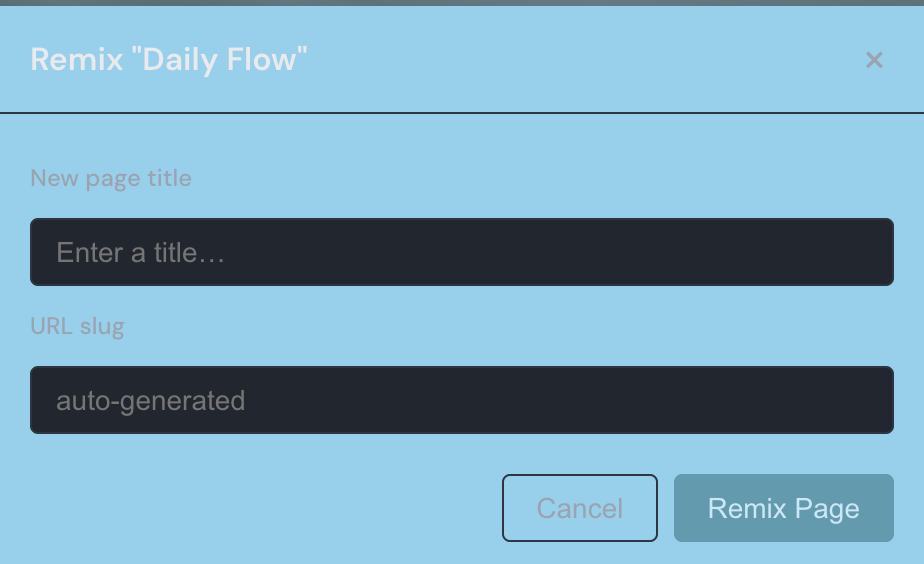
Your remix is a fully independent copy: the page and all of its widgets are duplicated into your account, laid out the same way, and the two pages are no longer connected. Later edits to the original never change your copy, and your changes never touch theirs.
Near the top of your new page, an attribution line credits the source — it reads “Remixed from” the original page's title “by” its owner, and both are links back to the page you started from. If that original is ever deleted, the credit text stays but its link stops working.
Each remix also adds one to the original page's remix count — the third number shown alongside its view and favorite counts — so an owner can see how often their page has been used as a starting point. You can remix your own page too, a quick way to duplicate a page you want to build on.
Keeping a page private
If you'd rather a page stay yours alone, set its visibility to Private. A private page is left out of search and tag results, and anyone who follows a link to it — signed out or logged in — sees the “This page is private” message rather than your widgets.
The people you add as collaborators are the exception: they can open, edit, and favorite a private page, and they are the only others who can remix it.
Good to know
Do shared links keep working if I change my username?
Yes. Links you shared under your old username still work after a name change — Linkamatic redirects them to the page’s new address, so bookmarks and shared links keep pointing to the right page.
Can visitors edit a page I share?
No. A shared link lets people view, favorite, report, or remix a public page, and none of those change your page. A remix is a separate copy in the other person’s account, so your original stays exactly as you left it. Editing the page itself is limited to you and the collaborators you invite.