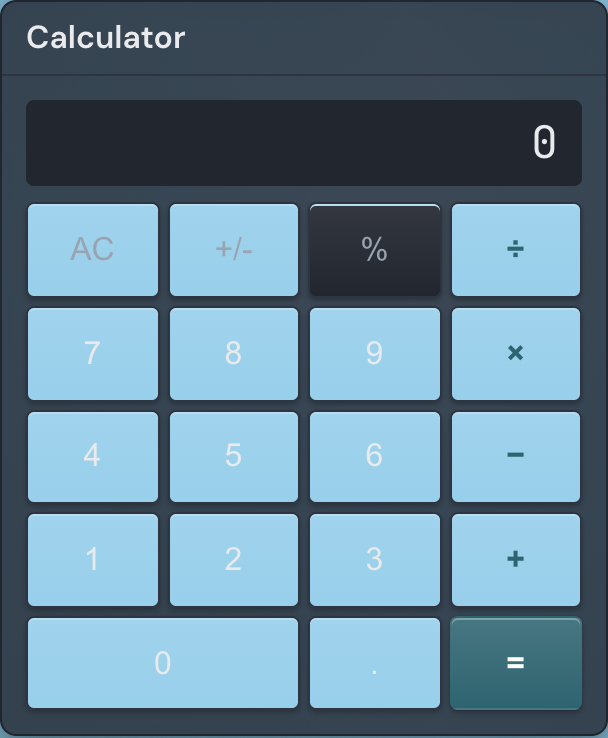
The Calculator widget is a basic four-function calculator that sits right on your page, so you can add up a few numbers, split a bill, or check a quick figure without opening another app or tab. It handles addition, subtraction, multiplication, and division, and does all its math in your browser.
Adding the Calculator widget
- Open the page you want to add it to and click Edit in the page header.
- Click Add Widget.
- Choose Calculator from the picker.
- Set the number of decimal places you want (you can change it anytime) and save.
Settings
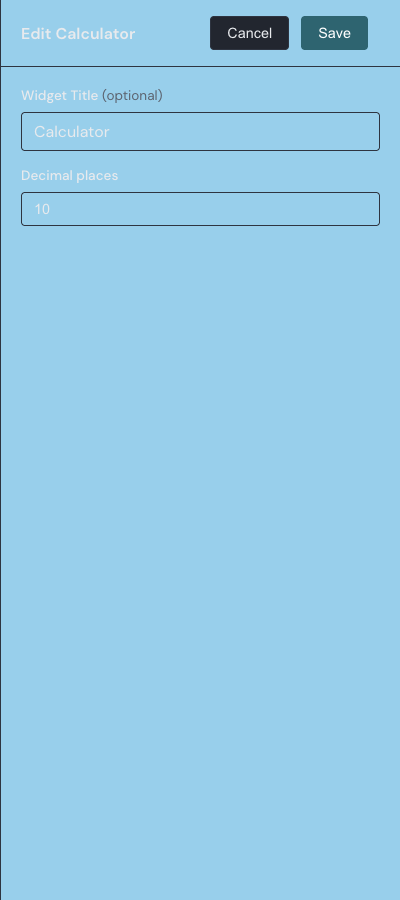
In edit mode, open the widget settings drawer with the gear on the widget toolbar to reach these options.
| Setting | What it does |
|---|---|
| Title | Sets the small header above the keypad. It starts as Calculator; clear it for a plain calculator with no header. |
| Decimal places | The most decimal places a result can show, from 1 to 15. Results drop trailing zeros, so whole numbers stay whole. The default is 10. |
Using the keypad
You use the calculator while viewing the page — in edit mode the keys are disabled so you can move and resize the widget without setting off a calculation. Tap a number, an operator, then another number, and press the equals key to see the result. The four operators run down the right-hand column — divide, multiply, subtract, and add — and the decimal-point key adds a fractional part, which it ignores if the number already has one. Three keys along the top row do the rest:
- AC clears everything and returns the display to zero.
- +/- flips the sign of the current number between positive and negative.
- % divides the current number by 100, so 50 becomes 0.5.
The calculator works left to right, the way a pocket calculator does, without giving multiplication and division priority. Enter 3 + 5 × 2 and you get 16, because it adds 3 and 5 first and then multiplies the total by 2.
Typing with the keyboard
Click the widget first to focus it, and you can then drive the whole keypad from your keyboard. The number keys and the +, -, *, and / keys enter digits and the four operators; Enter or the = key gives the result. Backspace erases the last digit you typed — the on-screen keypad only clears with AC, so the keyboard is the quicker way to fix a single wrong digit — and Escape clears everything. The keys respond only while the widget is focused, so typing elsewhere on the page never disturbs a calculation.
Reading the display
The display shows the number you are entering or the latest result, formatted with up to your chosen decimal places and no trailing zeros. It holds up to 12 characters; a result longer than that switches to scientific notation to fit. Dividing by zero shows Error, and the next digit you press clears it and starts over.
The calculator needs no setup beyond its decimal-places option and never sends your numbers to a server. For how to add, move, and resize any widget, see the widget basics guide.