The Stocks widget tracks live stock and crypto prices on your page, with quotes and charts powered by TradingView. Use it to watch a handful of holdings, keep an eye on the major market indexes, or park a bitcoin chart next to your daily links. TradingView draws the market data straight into the panel, so there is nothing to connect and no account to set up.
Adding the Stocks widget
- Open the page you want to add it to and click Edit in the page header.
- Click Add Widget.
- Choose Stocks from the picker, in the Data category.
- Pick a style, enter the symbols you want to track, and save (you can change them anytime).
A new Stocks widget starts as a watchlist already filled with three major stock indexes plus gold, silver, and bitcoin, so it shows real prices the moment you place it. Swap in your own symbols whenever you like.
Settings
In edit mode, open the widget settings drawer with the gear on the widget toolbar to reach these options.
| Setting | What it does |
|---|---|
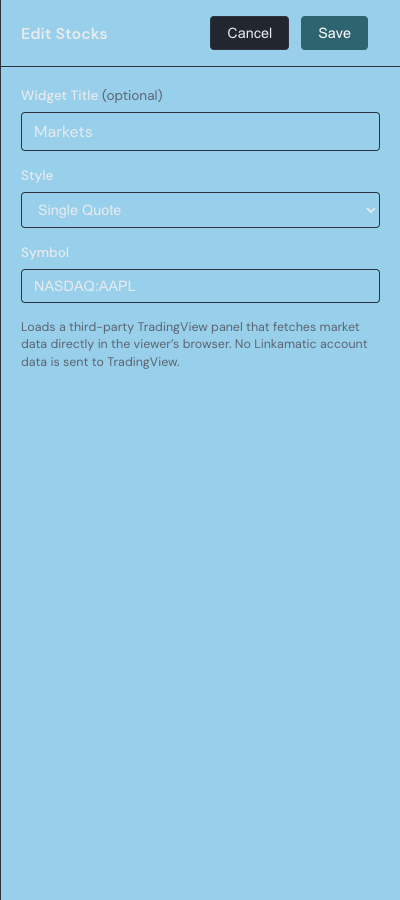
| Widget Title | An optional header shown above the panel. Leave it blank for no header. Up to 80 characters. |
| Style | How the widget presents your symbols: Single Quote, Watchlist, or Advanced Chart. See the section below. |
| Symbol | For the Single Quote and Advanced Chart styles, the one symbol to show, written as EXCHANGE:TICKER. |
| Watchlist symbols | For the Watchlist style, the list of symbols to track, each with an optional display name. Up to 20 symbols. |
Choosing a display style
The Style setting decides how the widget shows your symbols.
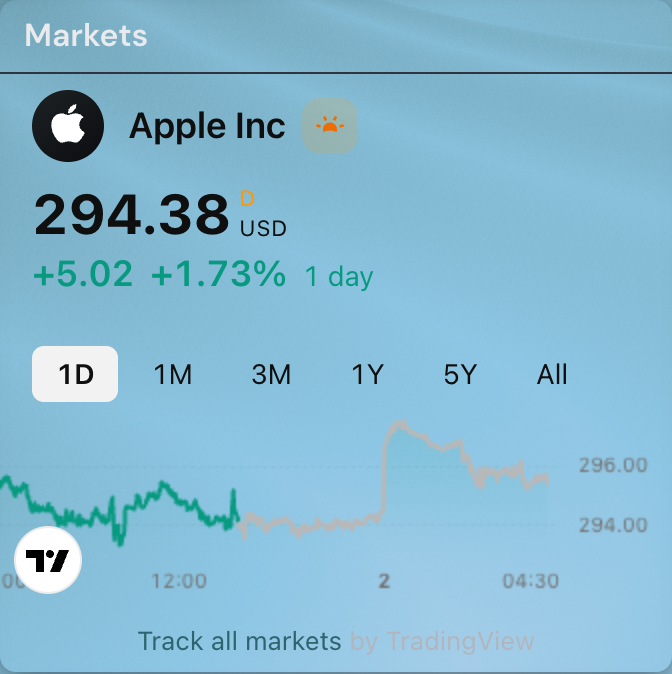
- Single Quote — the current quote for one symbol alongside a small price chart. Good for tracking a single stock at a glance.
- Watchlist — a compact list of several symbols with their latest prices. This is what a new widget uses by default.
- Advanced Chart — one symbol in a full, interactive chart with a timeframe toolbar for moving through its history.
Entering symbols
Symbols use the EXCHANGE:TICKER format that TradingView expects — for example, NASDAQ:AAPL for Apple or BINANCE:BTCUSDT for bitcoin. Symbols are capitalized for you as you type. The Single Quote and Advanced Chart styles take one symbol in the Symbol box; the Watchlist style has its own list, where you add a row per symbol and, if you want, a friendlier display name for each.
Below the watchlist is a row of Popular symbols you can add with one click — the major indexes, gold, silver, bitcoin, and the largest stocks. A symbol already in your list is dimmed so you do not add it twice. A watchlist holds up to 20 symbols.
Where the data comes from
Market data is provided and rendered by TradingView, which loads directly in the browser of whoever is viewing the page. Anyone you share the page with sees live prices without signing in or setting anything up, and Linkamatic never sends your account details to TradingView. Each widget carries a small 'by TradingView' link, which stays visible as part of TradingView's terms.
The panel matches your page's light or dark theme and re-colors itself when you switch themes. Because the data comes from TradingView, the widget needs an internet connection: while it loads you see a 'Loading market data' placeholder, and if it cannot load — no connection, an ad blocker, or a network restriction — the widget shows a short message in place of the chart rather than an empty box. A symbol TradingView does not recognize shows its own 'not found' notice inside the panel without affecting the rest of your page.
Pair the Stocks widget with the RSS Feed widget for a personal dashboard, or see widget basics for how to move and resize any widget.